Trading
Map bull, bear, risk, and liquidity actors before a market narrative hardens.
MiroFish quickstart wizard
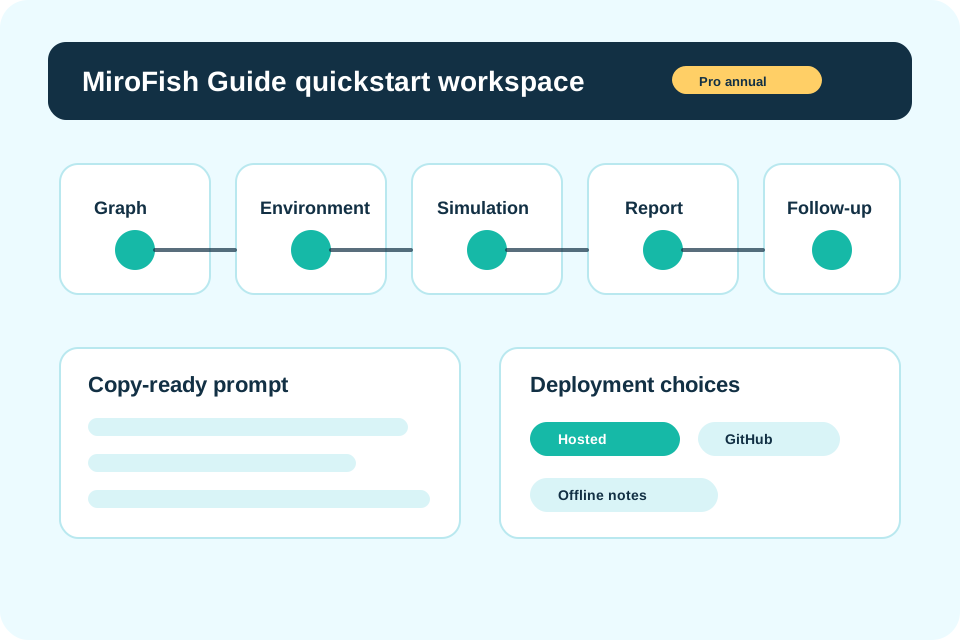
Move from a scenario idea to graph setup, environment checks, simulation prompts, report framing, and follow-up questions without building the workflow from scratch.
Live preview
Public preview is editable. Live simulation, saved reports, and workspace support unlock after checkout.
Scenario templates
Each template gives the wizard a practical actor set, prompt angle, and report expectation so the first run is not a blank page.
Map bull, bear, risk, and liquidity actors before a market narrative hardens.
Stress-test launch objections, adoption triggers, support load, and messaging gaps.
Model supporters, critics, journalists, and undecided observers over a time window.
Turn a market question into resolution rules, agent probabilities, and follow-up checks.
Deployment choices
MiroFish Guide keeps the deployment decision next to the prompt because the right path changes what you can save, automate, and share.
Model context
After a MiroFish run has produced graph notes, scenario assumptions, and report framing, the Kimi K3 resource hub is useful for planning a longer model review before the next simulation, implementation pass, or team handoff.
Troubleshooting
Most first-run failures are setup, graph, memory, or cost-shape problems. The guide keeps those checks visible at the moment they matter.
Evaluate the workflow
Free public reading.
Open MiroFish GuidePublic guide access
Hosted MiroFish workspace
Billed annually as $594. Annual saves 50%.
Open MiroFish GuideTeam support included
One-time implementation help
Deployment assistance billed once.
Open MiroFish GuidePrivate setup session
Useful guide pages
Each guide answers a different setup intent and connects back to the wizard when the reader is ready to run.